ROWELL SIEMENS

This is default featured slide 1 title

https://rowellsiemens.blogspot.com/

This is default featured slide 2 title

https://rowellsiemens.blogspot.com/

This is default featured slide 3 title

https://rowellsiemens.blogspot.com/

This is default featured slide 4 title

https://rowellsiemens.blogspot.com/

This is default featured slide 5 title

https://rowellsiemens.blogspot.com/

Saturday, March 28, 2020

S7-200 and WinCC Flexible. How to Make a Communication? Tutorial 1

S7-200 and WinCC Flexible. How to Make a Communication? Tutorial 1

With the WinCC Flexible Runtime, you can control, monitoring … the controller (PLCs) on your computer. In this post, we will guide you to communication between S7-200 and WinCC Flexible 2008 SP5.


The Software and Hardware Used in this tutorial

  • WinCC flexible Runtime 2008 SP5: WinCC flexible Runtime is a high-performance and comprehensive software for the visualization of processes in projects you created with the WinCC flexible Advanced programming software. When you install WinCC flexible, the “Runtime” is include.connect s7-200 and wincc flexible
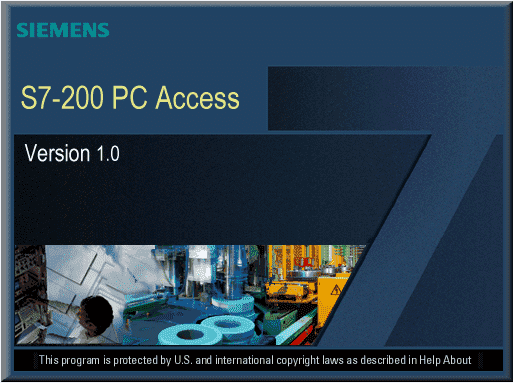
  • S7-200 PC Access V1.0 SP6: The software application that enables you to extract data from S7‑200 PLCs. You create tags for the PLC data and use the included test client for the PLC communication.
  • Step7 Micro/WIN V4.0 SP9: The programmable software for S7-200 PLCs.
  • You can download all software above at the download area of 365electricalvn by following the links below. After downloading the software, please install all in one computer.
  • The laptop with Windows 7 SP1, 32-bit operating system
  • A controller (S7-200 CPU 224 CN) for communication PLC with WinCC flexible
  • A Siemens USB/PPI Multi-Master cable
  • Accessories: 24VDC power, wire …


Communication between S7-200 and WinCC flexible Runtime 2008

To connect S7-200 with WinCC flexible 2008, we need working on all software listed above.

On Step7 Micro/WIN V4.0 SP9

  • Create and save the S7-200 project for your application.
  • Compile and download the project to the controller (PLC).
  • Note: Create the symbol table for all variables, input, output (V, M, I, Q …), it helps you easily to manage, control, monitoring … on next step.

communicaton s7-200 wincc flexible 2008On S7-200 PC Access

  • Open the software. Click on “File” -> “Import symbols …”. And then browse to the S7-200 project file (.mwp) created on the previous step.
  • On project tree, click to the name of the symbol table. All symbol will show on the screen.s7-200 pc access wincc flexible
  • Save the S7-200 PC Access project.
This tutorial pauses here, on next post we will continue with the steps on WinCC flexible 2008 SP5 software.


Download S7-200 PC Access & S7-200 PC Access SMART

Download S7-200 PC Access & S7-200 PC Access SMART

S7‑200 PC Access (or SMART) is a software application that enables you to extract data from S7‑200 (or SMART) PLCs. You create tags for the PLC data and use the included test client for the PLC communication. Download S7-200 PC Access (or SMART) below links.


S7‑200 PC Access Featuress7-200 pc access download

  • OPC Compliance up to DA V2.05 is supported an It works with any standard OPC client.
  • Integrates Symbols from STEP 7-Micro/WIN projects (V3.x to V4.x): All S7-200 PLC data types are supported, including Timers, Counters, and Strings.
  • Supports the full suite of S7-200 communication protocols: PPI (via the RS-232 PPI and the USB PPI Smart cables); MPI and Profibus (via Siemens CP cards); Ethernet via the CP243-1 or CP243-1 IT; External and Internal Modems.
  • Allows multiple PLC’s connected to one PC


S7 200 PC Access SMART Featuress7-200 pc access smart download

  • S7‑200 PC Access SMART supports compliance up to Data Access V2.05.
  • Works with any standard OPC client. The OPC client application accesses process data, messages, and archives of an OPC server.
  • Integration of symbols from STEP 7‑Micro/WIN SMART projects: This integration supports all S7‑200 SMART CPU data types, including Timers, Counters, and Strings.
  • Support for the S7‑200 SMART CPU Ethernet TCP/IP communication protocol for local areanetworks (LANs) and wide area networks (WANs): Ethernet standardizes the procedures for interconnecting several computers and controls the data flow over the network.
  • Ethernet allows one PC to connect to multiple S7‑200 SMART PLCs.

Download S7‑200 PC Access and Manual

  • PC Access S7-200 V1.0: Link
  • PC Access S7-200 V1.0 SP5, SP6: Link